Signals in React
What are Signals?
Signals are a reactive state management system that can be used to optimize component updates in and manage the application state. Signals enable fine-grained updates, meaning that only the parts of the component that depend on a changed value will re-render, rather than the entire component.
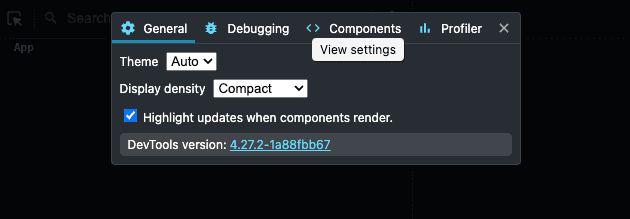
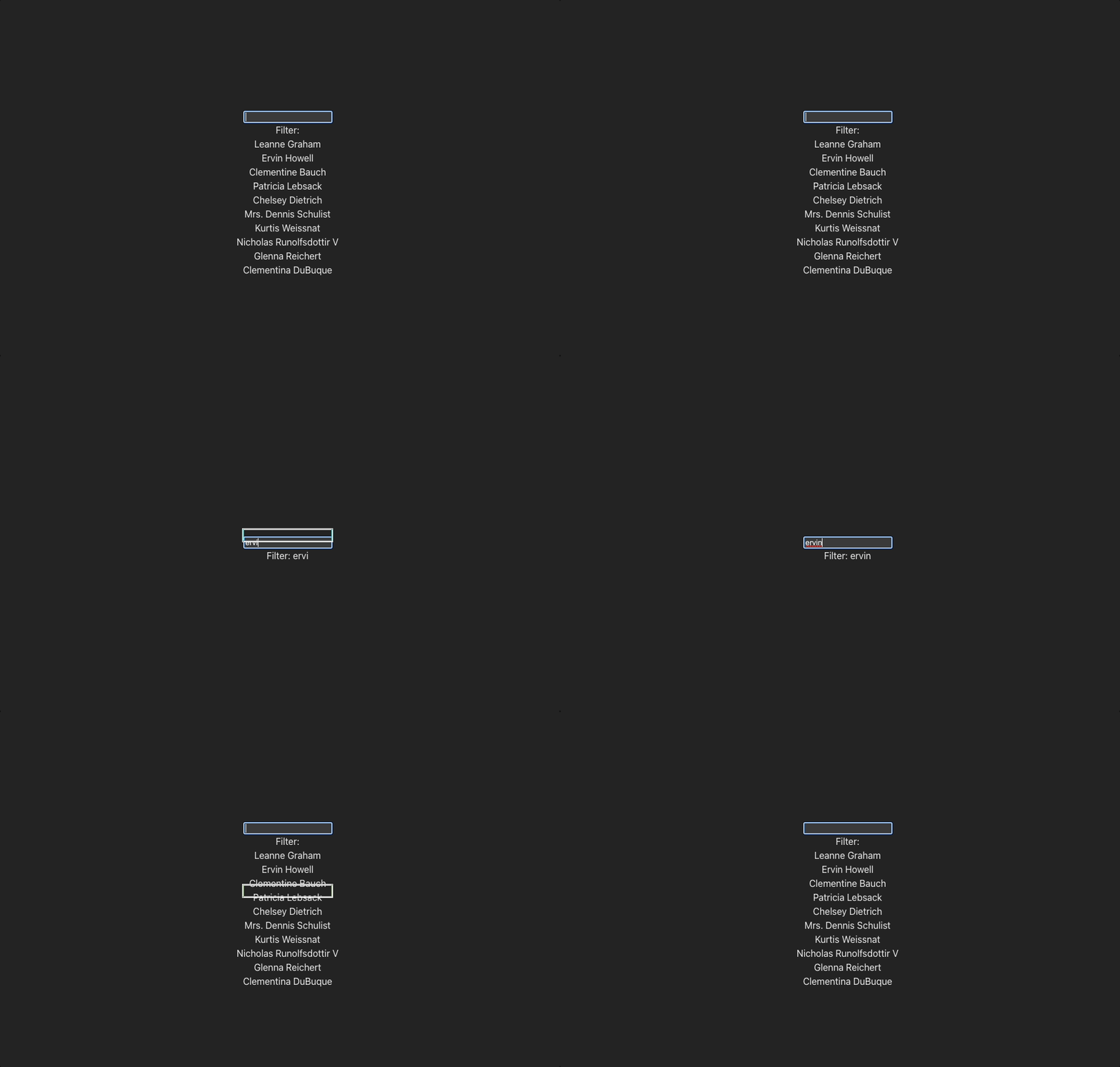
I am using DevTool to highlight updates when a component renders.
Examples
The following examples demonstrate different ways to implement signals in a React application. These examples will focus on filtering data to demonstrate how different approaches affect component updates.
Example with UseState
In this example, a traditional React implementation using useState is shown. I am using pnpm create vite fine-grained --template react.
function App() {
  const [filter, setFilter] = useState("");

  return (
    <div className="App">
      <input
        type="text"
        value={filter}
        onChange={(e) => setFilter(e.target.value)}
      />
      <div>Filter: {filter}</div>
    </div>
  );
}

export default App;
Calling setFilter changes the state, which re-renders the component and generates new VDOM elements.
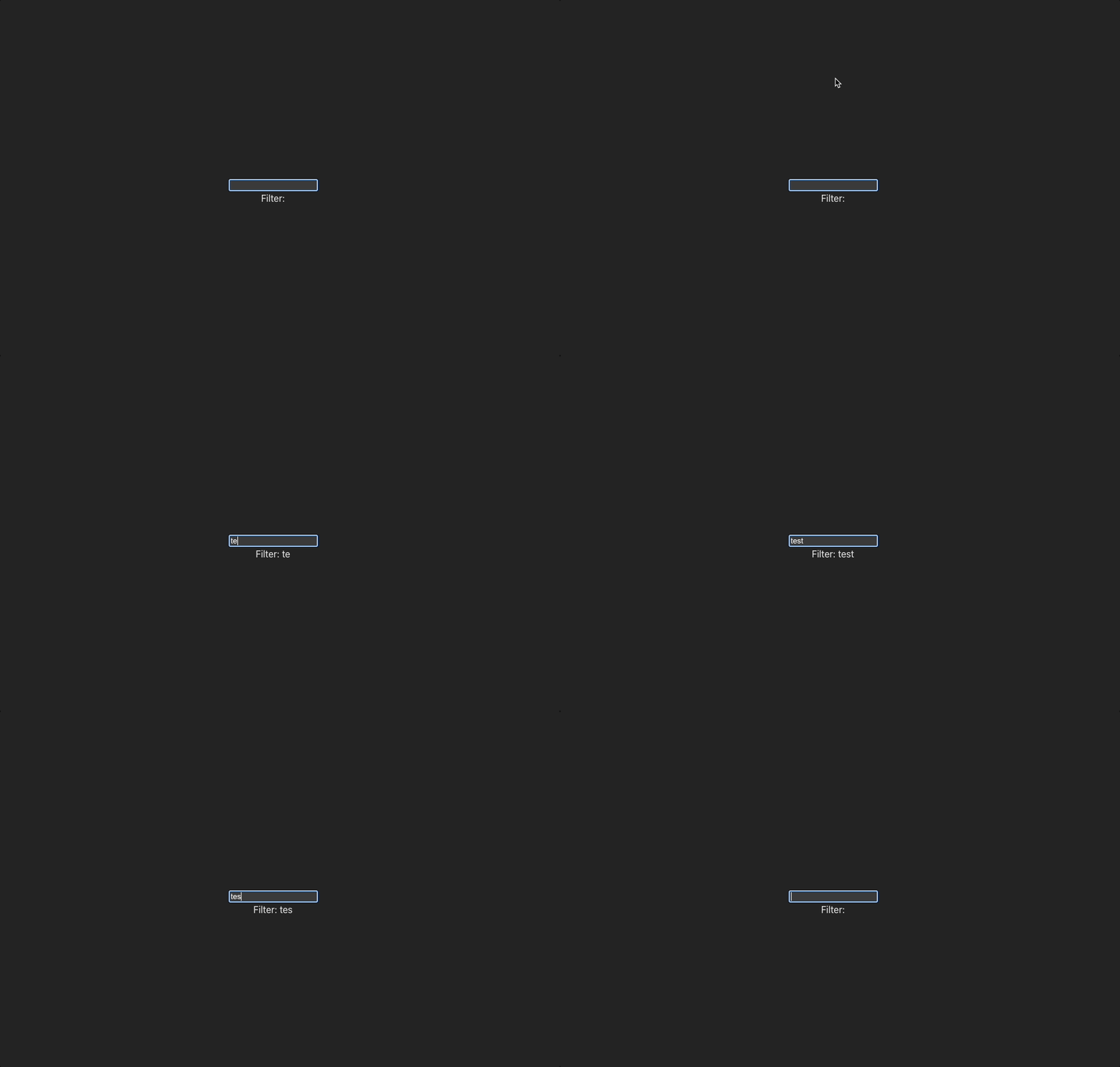
As you can see, the component re-renders at every input.
Example with UseRef
This example simulates fine-grained updates using useRef. We need to store the data in a different way than useState. With useRef we don’t force an update of the component.
function App() {
  const filter = useRef("");
  const displayFilter = useRef();

  return (
    <div className="App">
      <input
        type="text"
        onChange={(e) => {
          filter.current = e.target.value;
          displayFilter.current.textContent = `Filter: ${filter.current}`;
        }}
      />
      <div ref={displayFilter}>Filter: {filter}</div>
    </div>
  );
}

export default App;
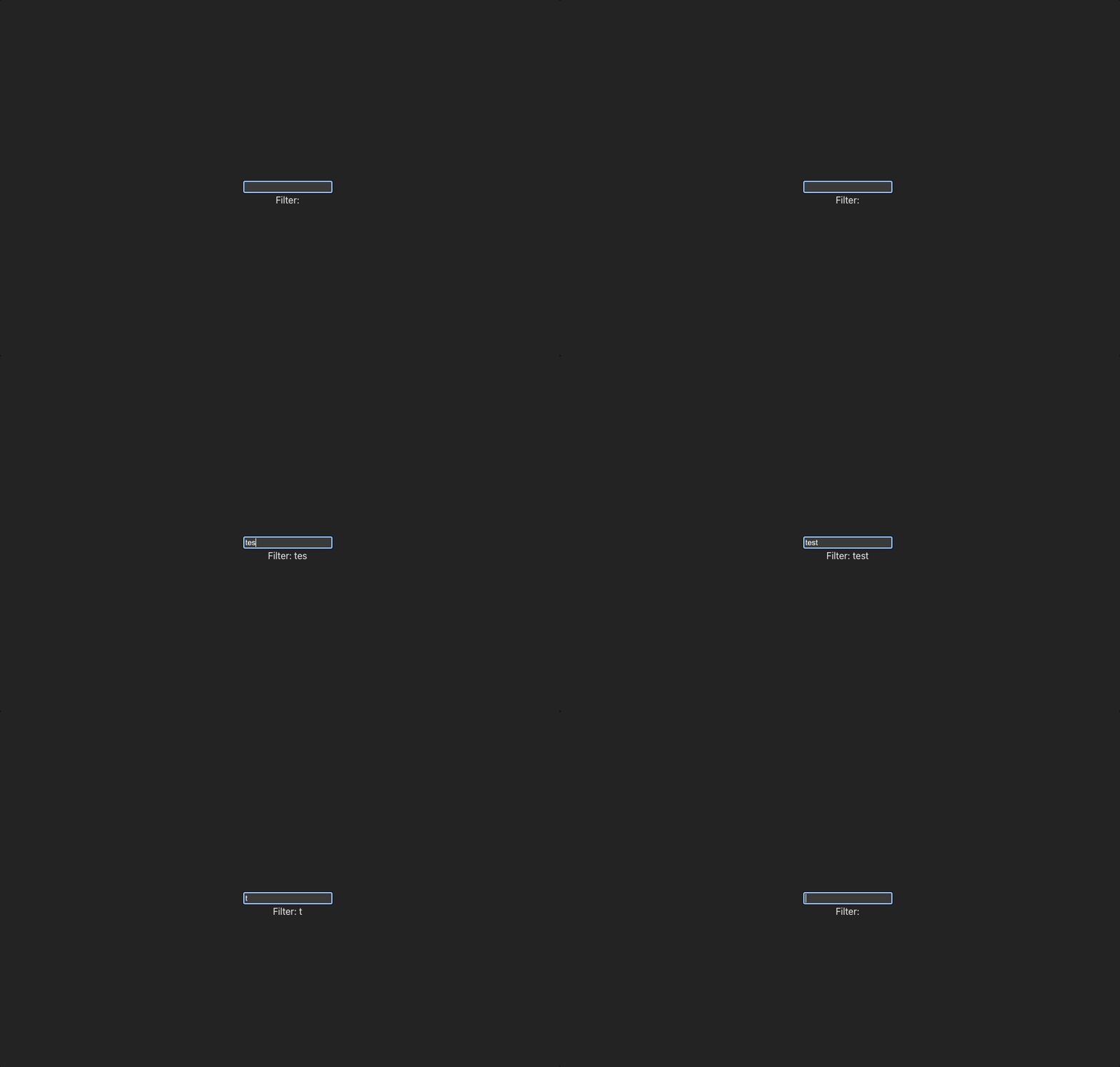
This approach is not optimal, as it requires manual updates to the DOM. We have to keep the same formatting in the <div> and in the onChange. Signals provide a more elegant solution for fine-grained updates. Signals are, of course, much more than this. This is just an example of the core concept of not re-rendering a component.
Example with Preact
Preact signals is a library from Preact that works with React to implement signals. It includes four different libraries: Signals core @preact/signals-core, which manages the reactive state management system, and separate libraries for Preact @preact/signals, React @preact/signals-react, and Svelte @preact/signals-core.
interface UserData {
  name: string;
  email: string;
}

const filter = signal("");
const users = signal<UserData[]>([]);
const filteredUsers = computed(
  () =>
    (users.value ?? []).filter(
      (user) =>
        user.name.includes(filter.value) || user.email.includes(filter.value)
    ) ?? []
);
signal import creates atomic pieces of data with filter and users. computed is used to connect the users to the filter.
fetch("https://jsonplaceholder.typicode.com/users")
  .then((resp) => resp.json())
  .then((json) => {
    users.value = json;
  });

function User({ name, email }: UserData) {
  return <div>{name}</div>;
}
We fetch and set the value for the users in a standard React component.
function App() {
  return (
    <div className="App">
      <input
        type="text"
        value={filter.value}
        onChange={(e) => (filter.value = e.target.value)}
      />
      <div>Filter: {filter.value}</div>

      {filteredUsers.value.map((user) => (
        <User key={user.email} {...user} />
      ))}
    </div>
  );
}

export default App;
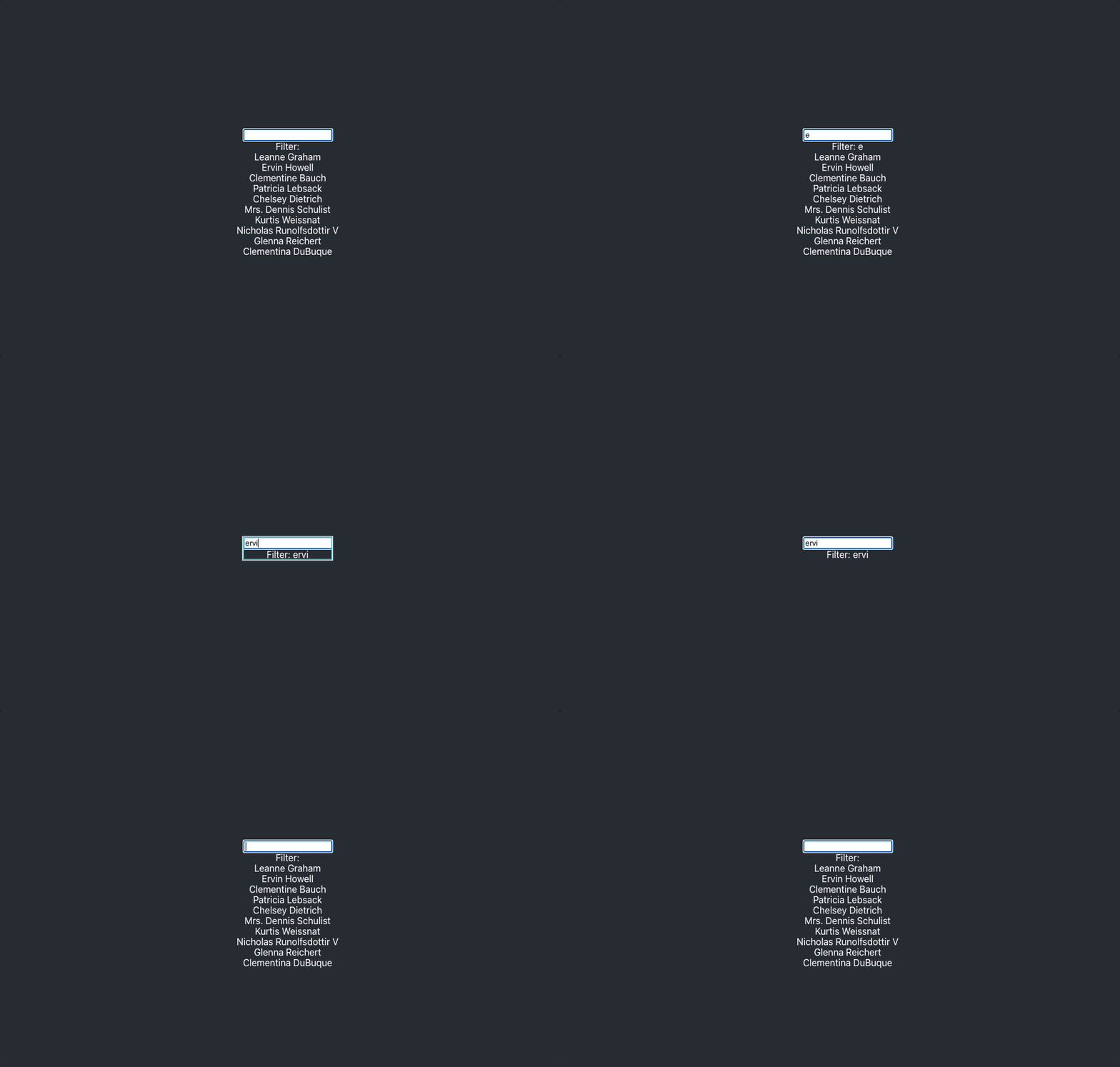
Set the value on the input. We map the users and set the value on the User components. It doesn't perform fine-grained updates; everything re-renders. However, we get the reactive state management. The signals use JSX runtime magic to connect the filter value and subscribe automatically to the component using the signals. When a change occurs, they force a re-render of the React component. The fine-grained updates work for a single component but not for updating other components.
Jotai Signals
To achieve both reactive state management and fine-grained updates in React, we can use Jotai signals. Jotai is a reimplementation of Recoil, an atomic-based state manager originally from Meta.
const filterAtom = atom("");
const usersAtom = atom(async () => {
  const resp = await fetch("https://jsonplaceholder.typicode.com/users");
  const json = await resp.json();
  return json;
});

const filteredUsersAtom = atom(async (get) => {
  const filter = get(filterAtom);
  const users = await get(usersAtom);
  return (users ?? [])?.filter?.(
    (user) => user.name.includes(filter) || user.email.includes(filter)
  );
});
We set the filterAtom and async usersAtom, and connect the two atoms in filteredUsersAtom, which will update automatically like any other reactive state management.
function DataDisplay() {
  const [users] = useAtom(filteredUsersAtom);
  return (
    <div>
      {users.map((user) => (
        <div>{user.name}</div>
      ))}
    </div>
  );
}

function Filter() {
  return <div>Filter: {$(filterAtom)}</div>;
}
The useAtom and useSetAtom are used for reactive state management. To use fine-grained updates, we use $ from jotai-signal. To make this work, we have to use the following import statement. This will lay on top of the basic React rendering cycle to make fine-grained updating work.
/** @jsxImportSource jotai-signal */function App() {
const setFilter = useSetAtom(filterAtom);
return (
<div className="App">
<input
type="text"
value={$(filterAtom)}
onChange={(e) => setFilter(e.target.value)}
/>
<Filter />
<Suspense fallback={<div>Loading...</div>}>
<DataDisplay />
</Suspense>
</div>
);
}
export default App;
The DataDisplay component is wrapped in a Suspense component because the filtered user atom is an asynchronous atom.
Signals In Angular
The Angular team introduced a prototype of signals to the framework on February 15th. Although they have engaged with the community, there is no official documentation at this moment. From what I have read, signals will provide a simpler syntax compared to RxJS, which often is used in Angular for reactive development. Signals will offer an improved change detection and potentially a future without zone.js. While not replacing RxJS, signals will simplify some complexities in Angular development. However, the current implementation is still a prototype and not recommended for production use.
You can see the pull request here.
Conclusion
There has been discussion from the React team regarding support for signals. It might be a good idea to wait for their official implementation to ensure better integration with the React ecosystem. However, we can still use the available options such as Preact signals and Jotai signals to experiment with and benefit from fine-grained updates and improved reactive state management in our applications. We should just keep in mind that these third-party solutions might have a steeper learning curve and cause dependencies on external libraries.